Your Frick Login: A Step-by-Step Guide
From purchasing tickets online to accessing membership benefits, you can use your online account to enjoy everything the Frick has to offer.
Check out this step-by-step guide and set up your login!
Step 1
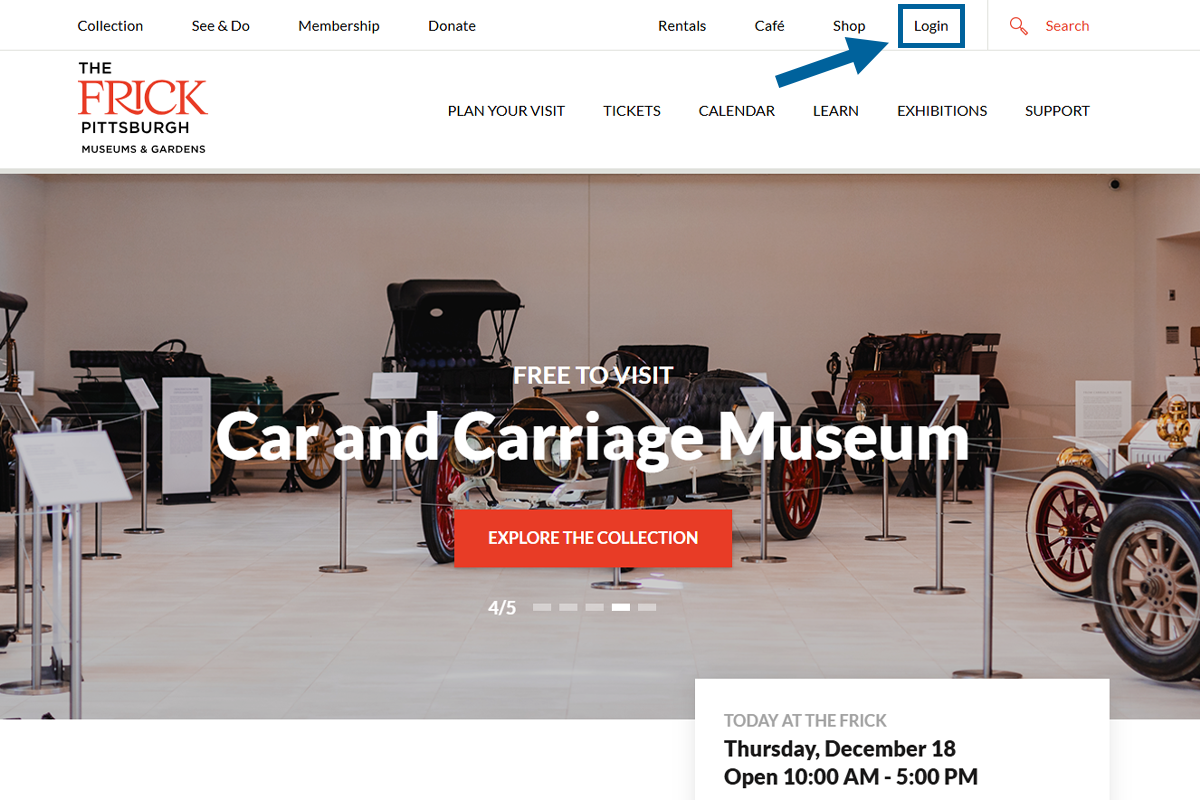
Visit thefrickpittsburgh.org, and locate the Login link at the top right of the screen. Click on it to go to the login page.
Step 2
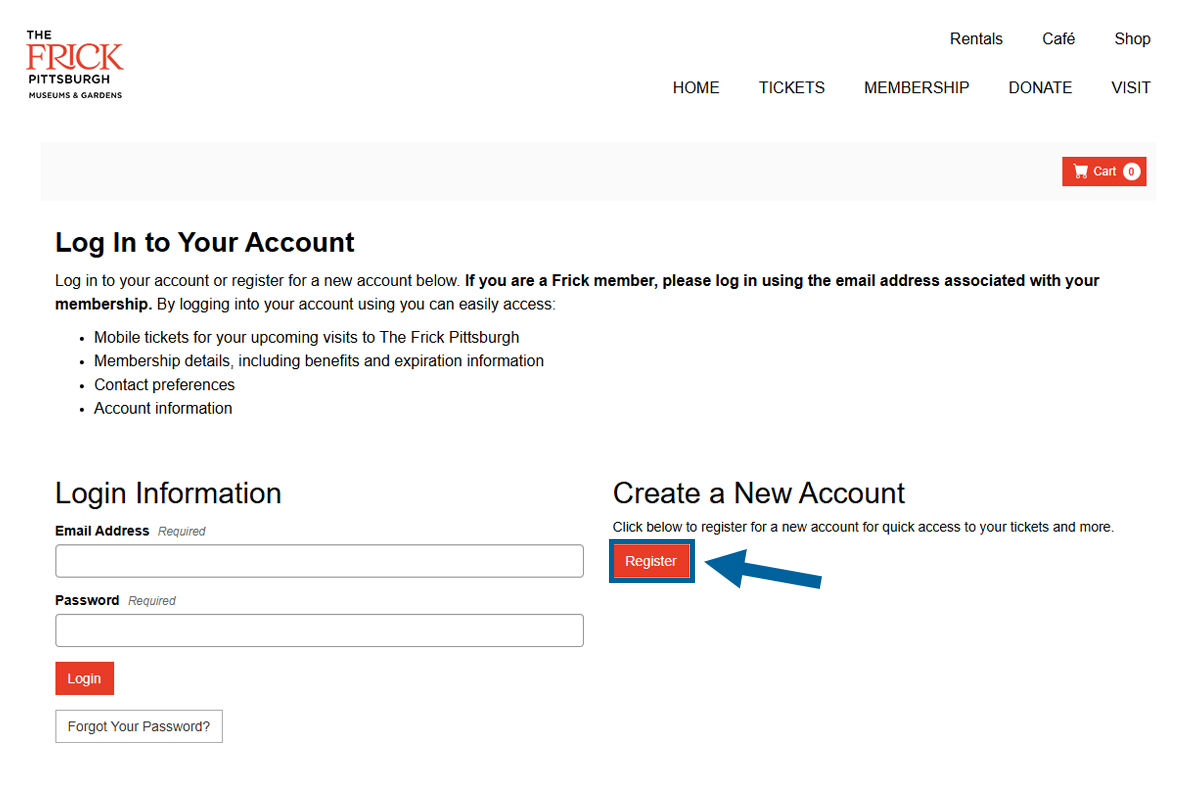
If you do not have an account with us, click the red Register button to register for a new account. If you have purchased a ticket with us in the past, you most likely already have an account in our system. Your same email will work and you will just need to reset your password. At this point, you can click the white Forgot Your Password? button.
Step 3
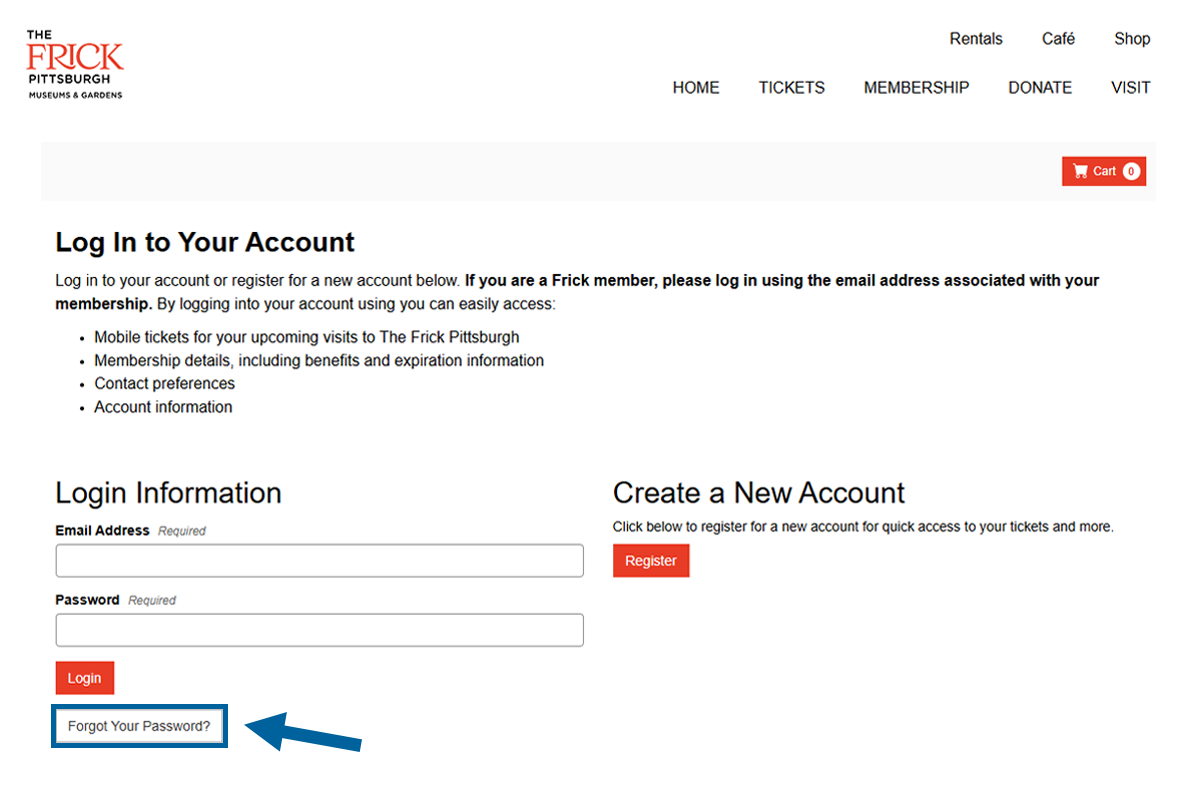
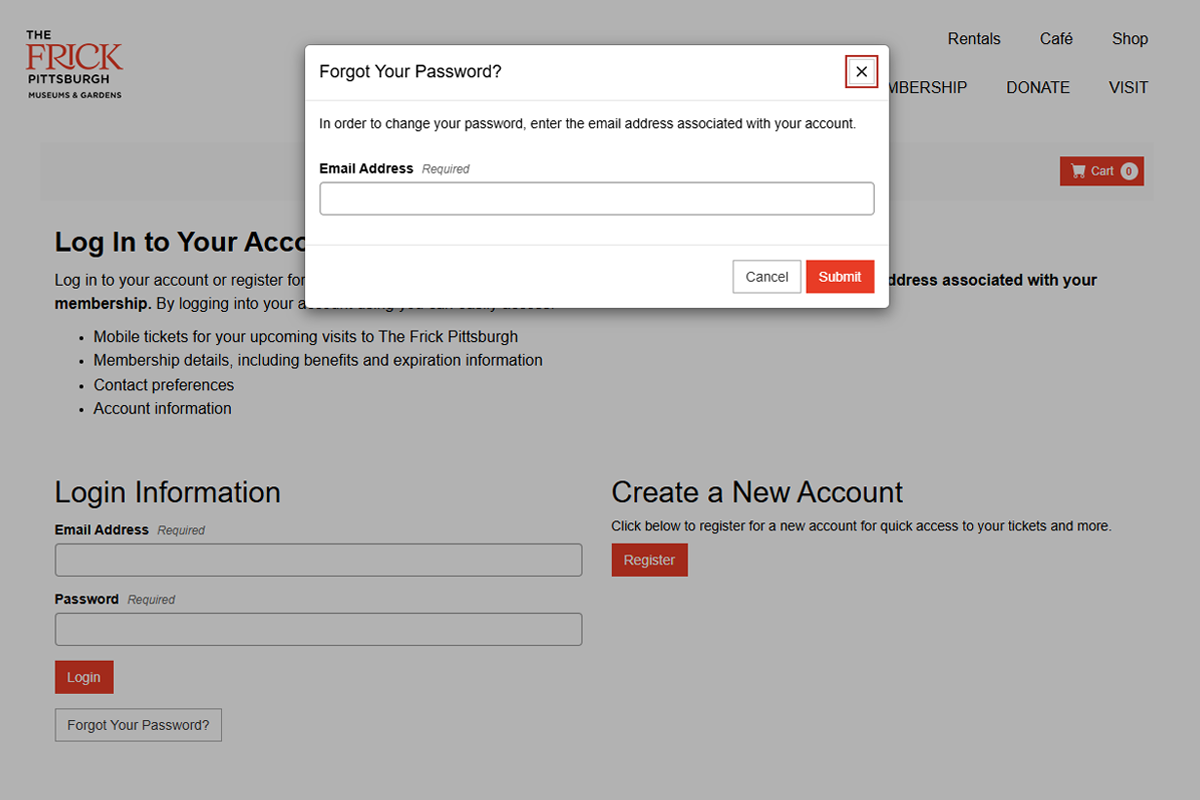
To reset your password, click the white Forgot Your Password? button. A pop-up window will appear at the top of the page, prompting you to enter the email address associated with your account. Type your email address and press the red Submit button. If the email address provided is associated with an account in our system, you will receive an email with instructions on resetting your password.
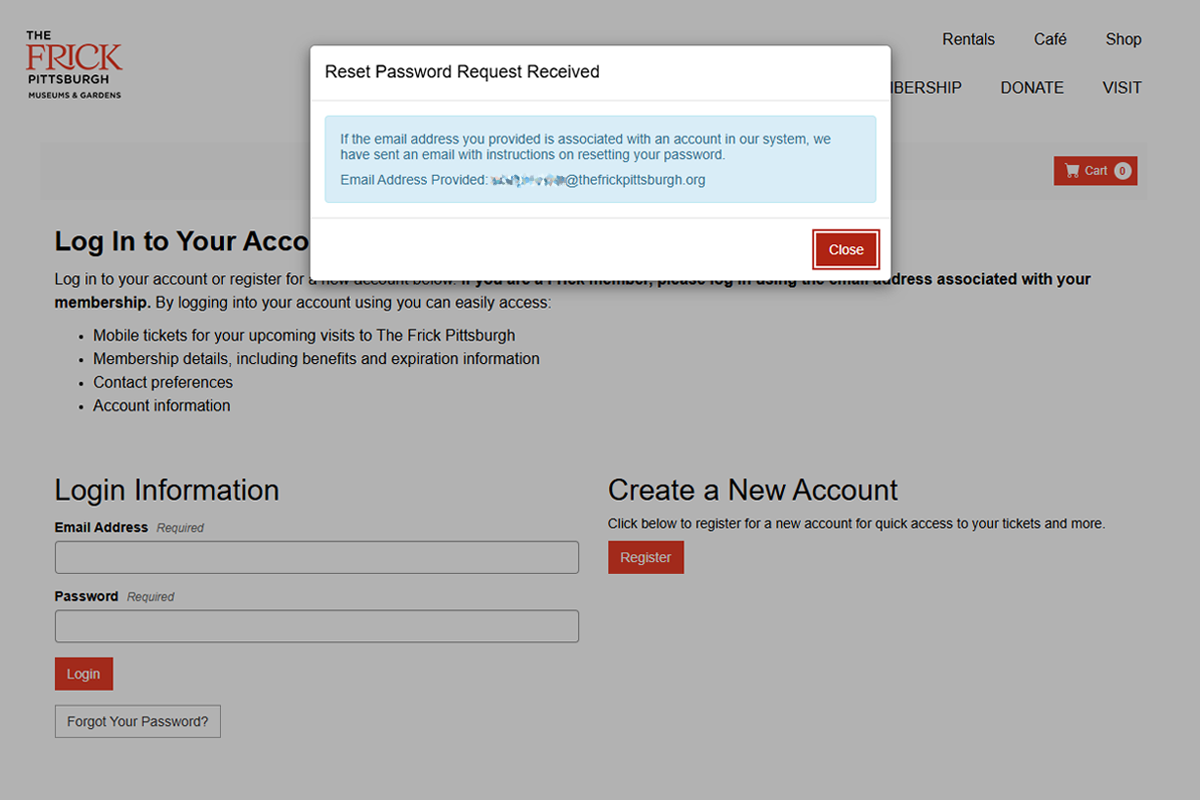
Step 4
Check your email, including spam and junk folders, for an email from The Frick Pittsburgh with the subject line "Password Reset Request." Click the red Click Here To Reset Password button in the email.
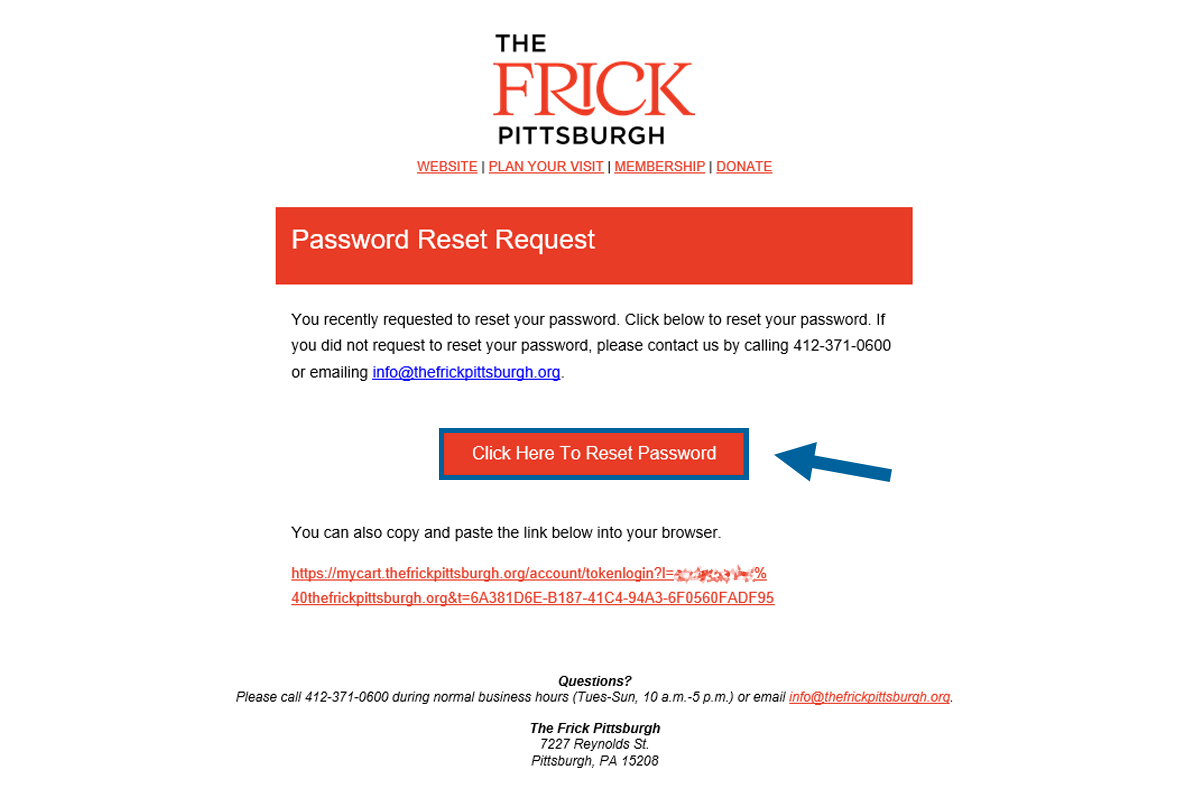
Step 5
The red Click here To Reset Password button leads to a form to update your password. Enter your new password, confirm your new password, and click the red Save Changes button. Remember to write down your password for the future!
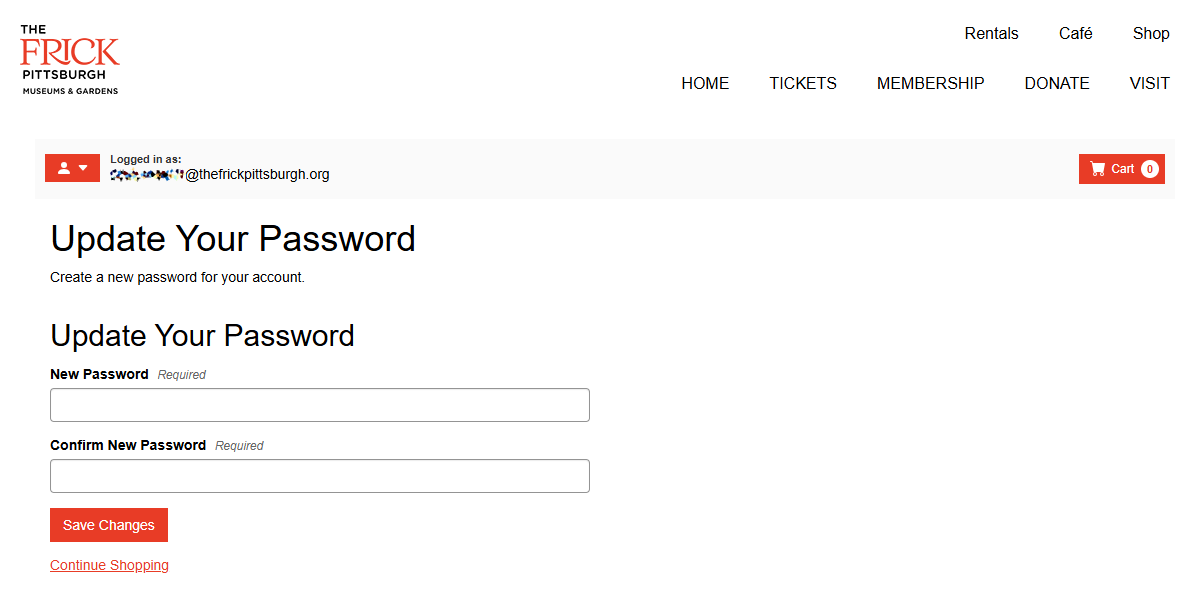
Step 6
You have completed your Frick account. Click the red profile icon at the left of your screen to navigate your account.
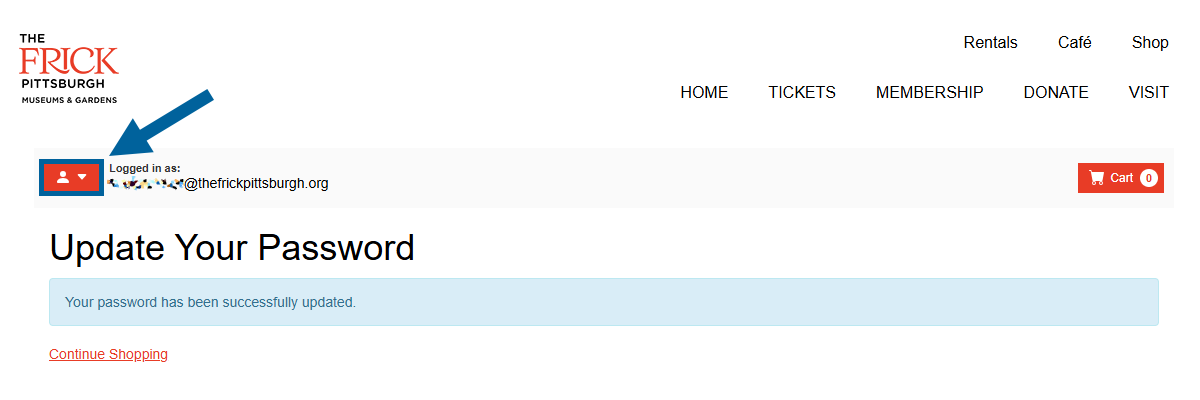
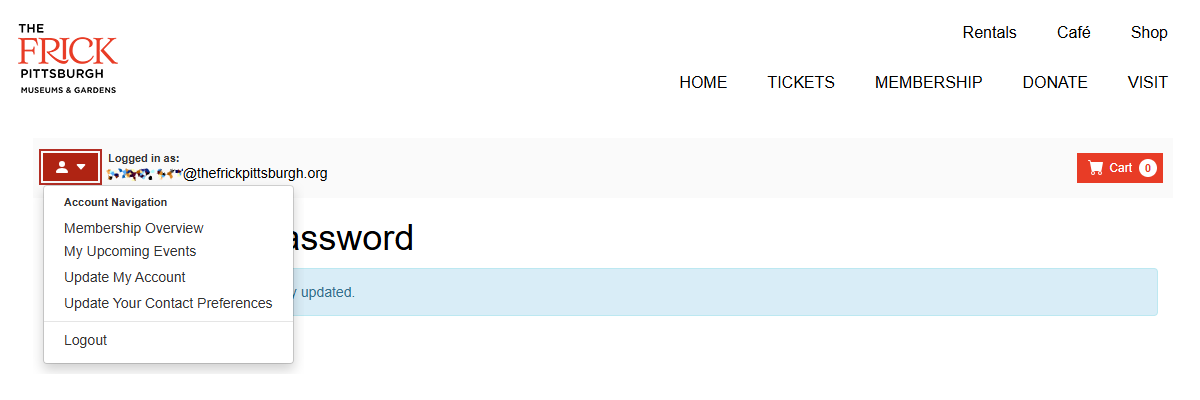
Step 7
Log in to reserve tickets, register for programs, review membership information, and more!
Click Here To LoginQuestions? Check out our FAQ on our new ticketing system. Please direct additional questions to info@thefrickpittsburgh.org, and someone will respond to your request as soon as possible.